Plugin
Tractatus
The complete tone toolbox
- 1.0
- VST3 · AU · AAX
- Lifetime upgrades
Features
- Independent saturation curves for each half of the waveform, with DC bias
- Draw eight distortion curves and morph between them
- Continuously interpolating amp models, with six microphones
- Tape, cassette, VHS, vinyl and wire-recorder sims
- Chorus, ensemble, rotary, filters and wah effects
- Pitch shifting, formant control and pitch correction
- Three parallel paths and feedback loops
- Up to 16 LFOs, envelope followers, step sequencers and Euclidean modulators
- 68 factory presets, plus scoped randomisation
- Free upgrade for Class A owners
- Runs on its own or inside Dogma
- Lifetime free upgrades
Compatibility & formats
Open the plugin before purchase to make sure it runs on your computer. Hashes at the bottom of the page.
- VST3, AU, AAX (no iLok needed)
- VST3, AAX (no iLok needed)
- VST3
Download
Installation
AP Mastering plugins are super light weight and do not ship with installer wizards and random undisclosed bloatware. If you have ever installed a plugin by simply moving it into your plugin directory, then you already know what to do. For anyone who is stuck, watch this youtube video.
The tone toolbox
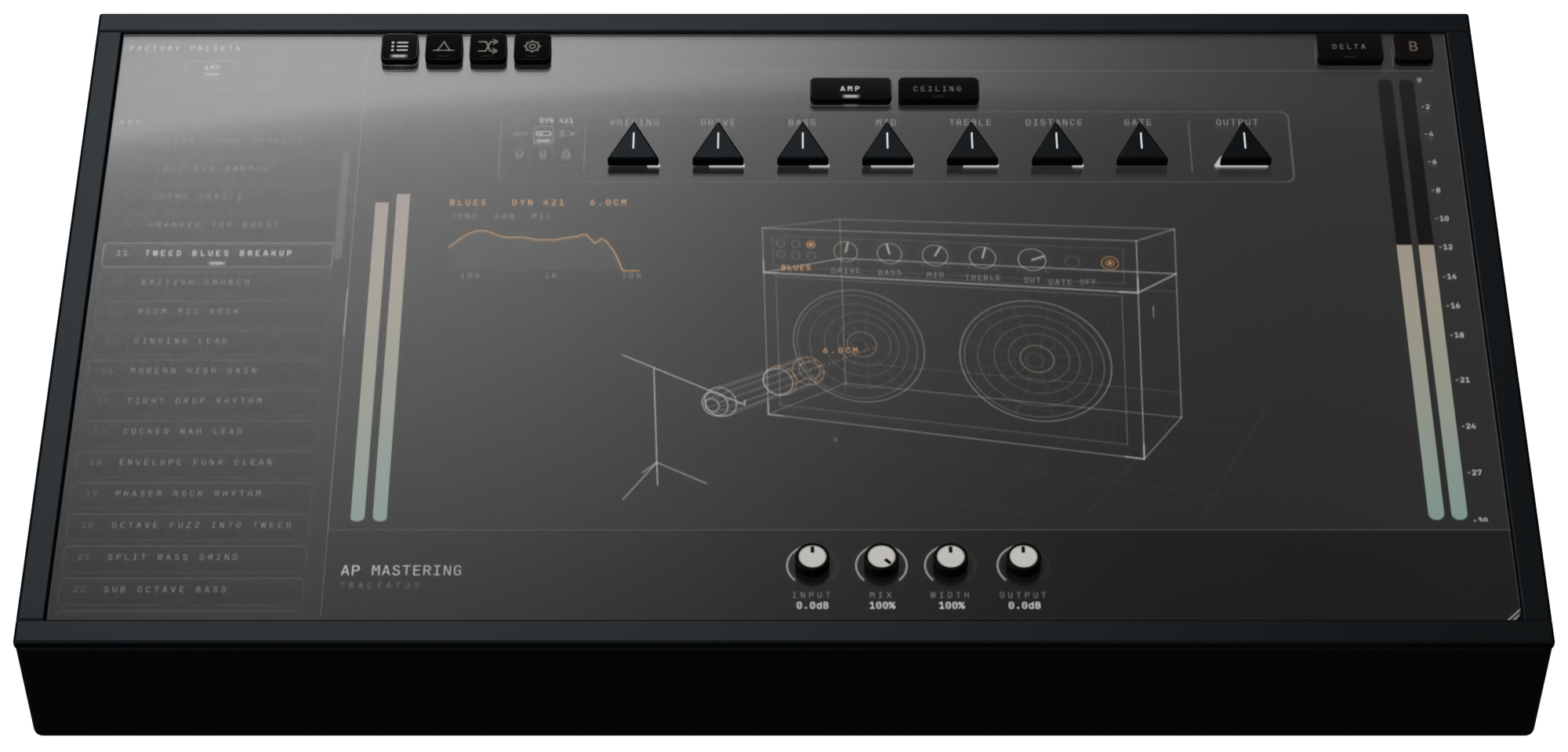
Tractatus started with Class A's asymmetric saturation and drawable waveshaping, then grew into a whole modular collection of audio tools. There is an interpolating guitar amp, a bunch of recording media simulations, pitch and formant shifting, pitch correction, filters and modulation effects. You can connect them in series, split them across three parallel paths, and send the result back through itself with feedback.
Asymmetric saturation
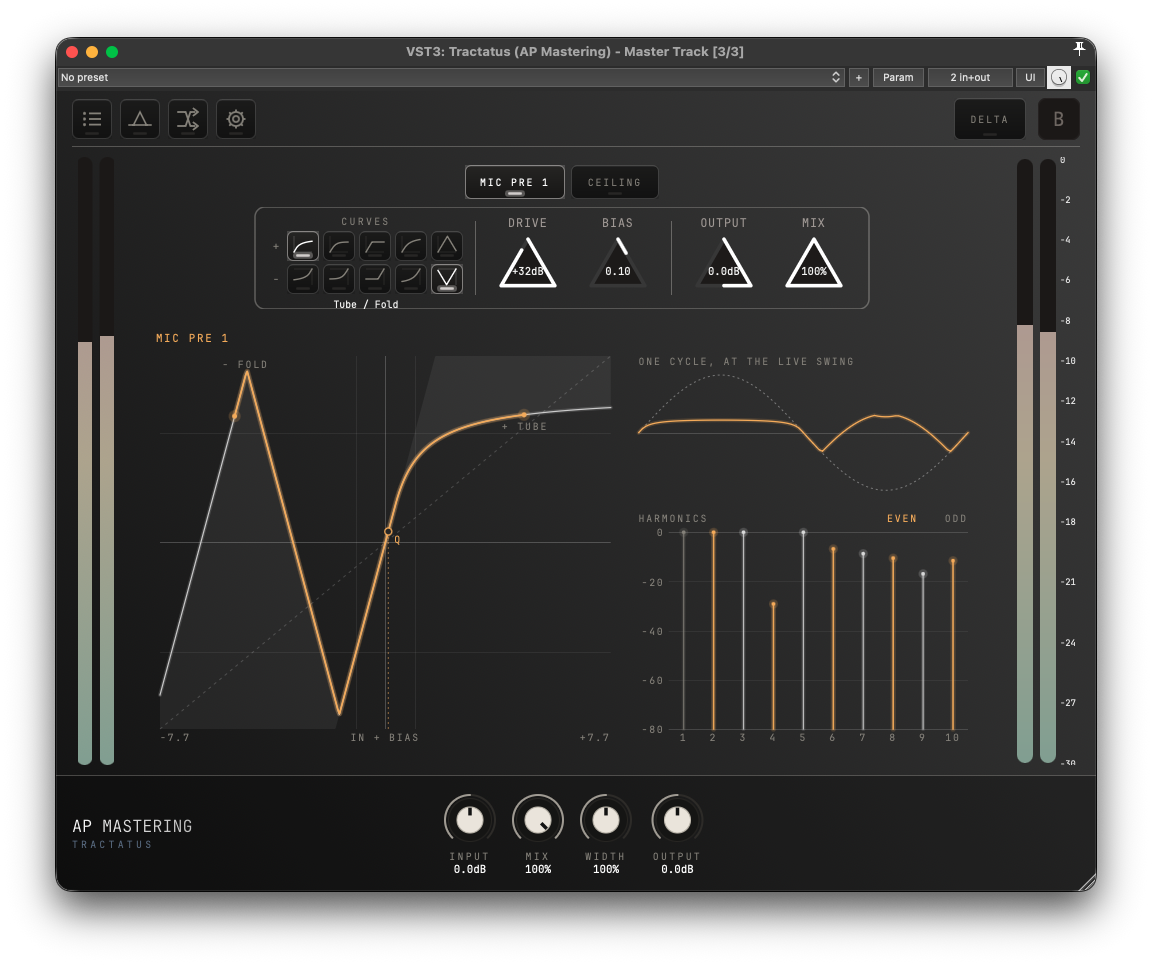
The interesting part is the control you have over the distortion itself. Mic Pre carries over Class A's independent saturation curves for the positive and negative halves of the waveform, now with a much bigger infrastructure around them. You can have a tube curve on one side and a transformer curve on the other. Or hard clipping on one side and wavefolding on the other, if you want to do something a bit more experimental. There are five curve types to combine independently.
This matters because the symmetry of a saturation curve changes which harmonics it produces. A symmetric curve produces odd harmonics from a sine wave. Breaking that symmetry allows even harmonics too. So the relationship between the two halves gives you control over the harmonic structure, before you even touch the Bias knob.
DC bias
Bias moves the signal's operating point along the saturation curve. Imagine taking the whole waveform and moving it upwards. The top half of the waveform will start hitting the saturation quicker than the lower half. This usually produces juicy even order harmonics, even with the same curve selected on both sides. But when you also select two different curves, there is a lot of tonal variation to be found.
The display shows the curve, the signal's swing and the resulting harmonics. You can actually see what changing the bias does. The original Class A video further down the page goes into the preamp design and DC bias ideas in more detail.
Draw the distortion
The Waveshaper gives you eight editable curves and a Morph knob which interpolates between them. You are drawing the relationship between the input and output amplitudes directly. You can attach an LFO or envelope follower to Morph it and the distortion curve itself will start moving.
An interpolating guitar amp
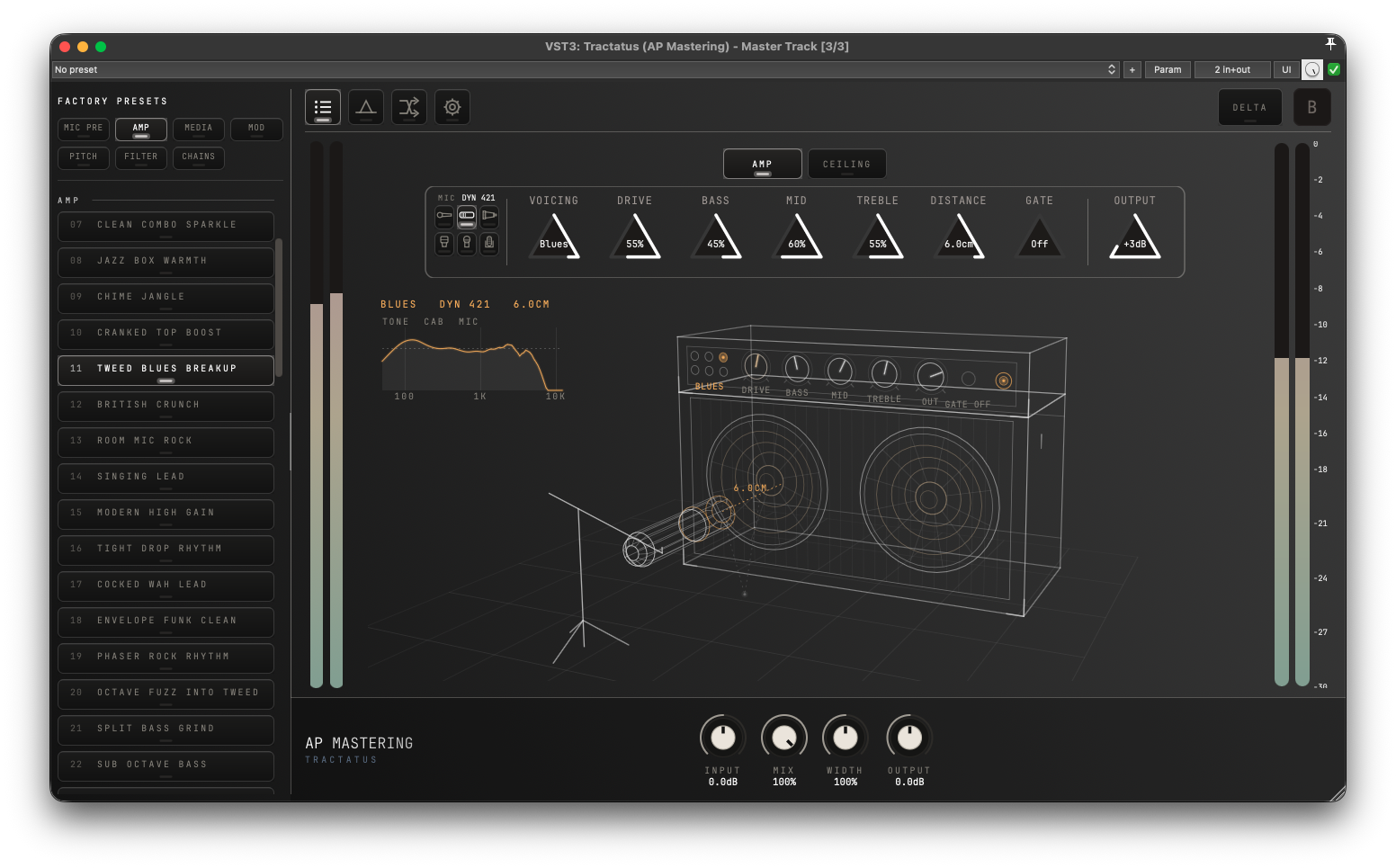
Typically, amp sim plugins give you a selection of amps to choose. Tractatus gives you a single amp which shape shifts between various different amp models using interpolation. One thing which has annoyed me in the past is wanting an in between sound from two different amp models but not being able to have that because of the binary choice. So with Tractatus, if you like the Metal model but think it is too harsh or strong for your use case, you can just pull it back a bit towards Lead and get that impossible in between sound.
There are six microphone models and a Distance control which changes the proximity effect and room contribution. Classically you'd plug your guitar in but the amp can be used like any other effect inside the modular chain, in any order, on any source.
Recording media
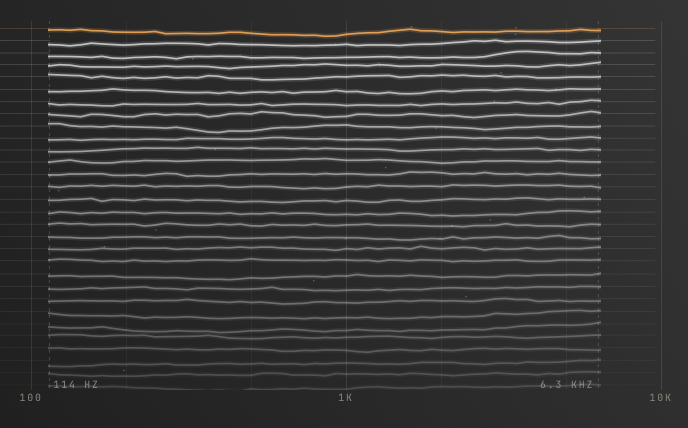
Tape, Cassette, VHS, Vinyl and even a Wire Recorder. Each has its own processing: tape speed and saturation, cassette wear, VHS tracking damage, vinyl crackle. The wire recorder sounds particularly cool on vocals for a lofi effect.
Wow & Flutter is also available separately. Since everything is modular, there's nothing stopping seemingly nonsensical chains like cassette to wire recorder to vinyl to tape.
Pitch and formants
You can use up to four Pitch Shifters, each reaching two octaves up or down.
There is also pitch correction for a solo voice or instrument, from gentle tuning to the obvious hard-tuned effect.
More
Chorus, flanger, phaser, ensemble, rotary, tremolo and vibrato are all available. There are also resonant filters, comb filters, all-pass filters, vowel shape filters and wah. All of these can have modifiers automate the controls and they can all go inside a feedback loop.
Build the whole effect in one window
Three parallel paths
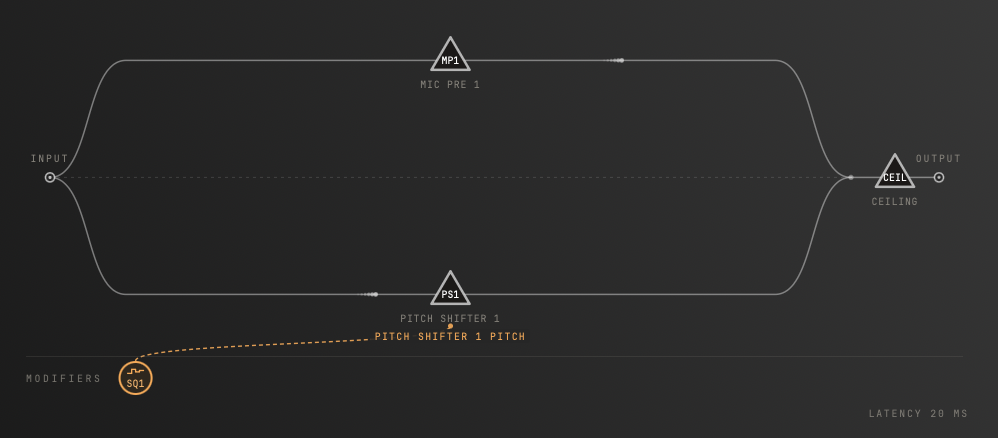
Tractatus uses the same modular approach as Soloquium. You drag modules into the chain, change their order, and split the processing across three parallel paths. Many of the modules can be used more than once. A pitched, distorted layer can run alongside a completely different chain, all inside one plugin.
Deep modulation
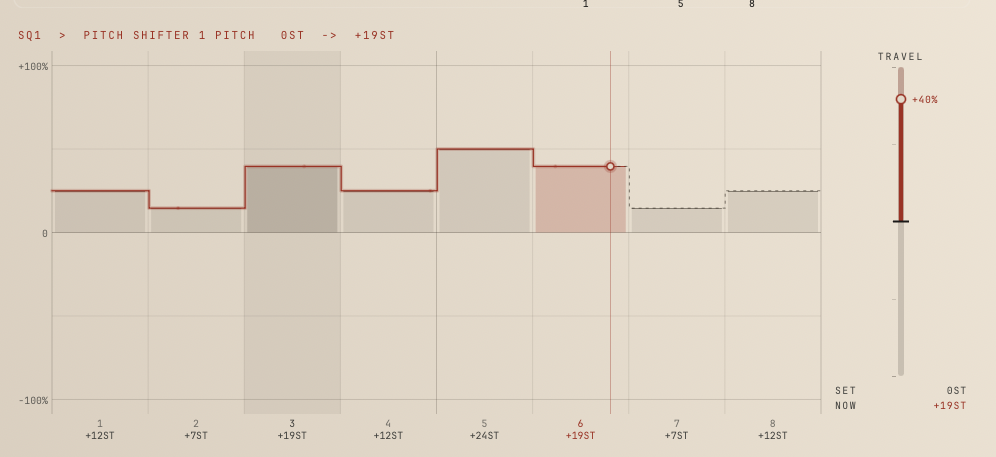
There are up to 16 modifiers: LFOs, envelope followers, step sequencers and Euclidean rhythms. An envelope follower can make the waveshaper morph respond to how hard you play. A sequencer can turn a pitch shifter into a repeating melody. Once you start modulating the processing itself, a fairly simple chain can do some very interesting stuff.
Feedback
The Feedback module sends audio back to the input from wherever you put it in the chain. Every trip applies the processing again. Pitch shifts accumulate, filters get steeper, and the signal keeps going through the distortion. The order of the modules, and where you take the feedback from, make a huge difference.
You don't need to build everything yourself
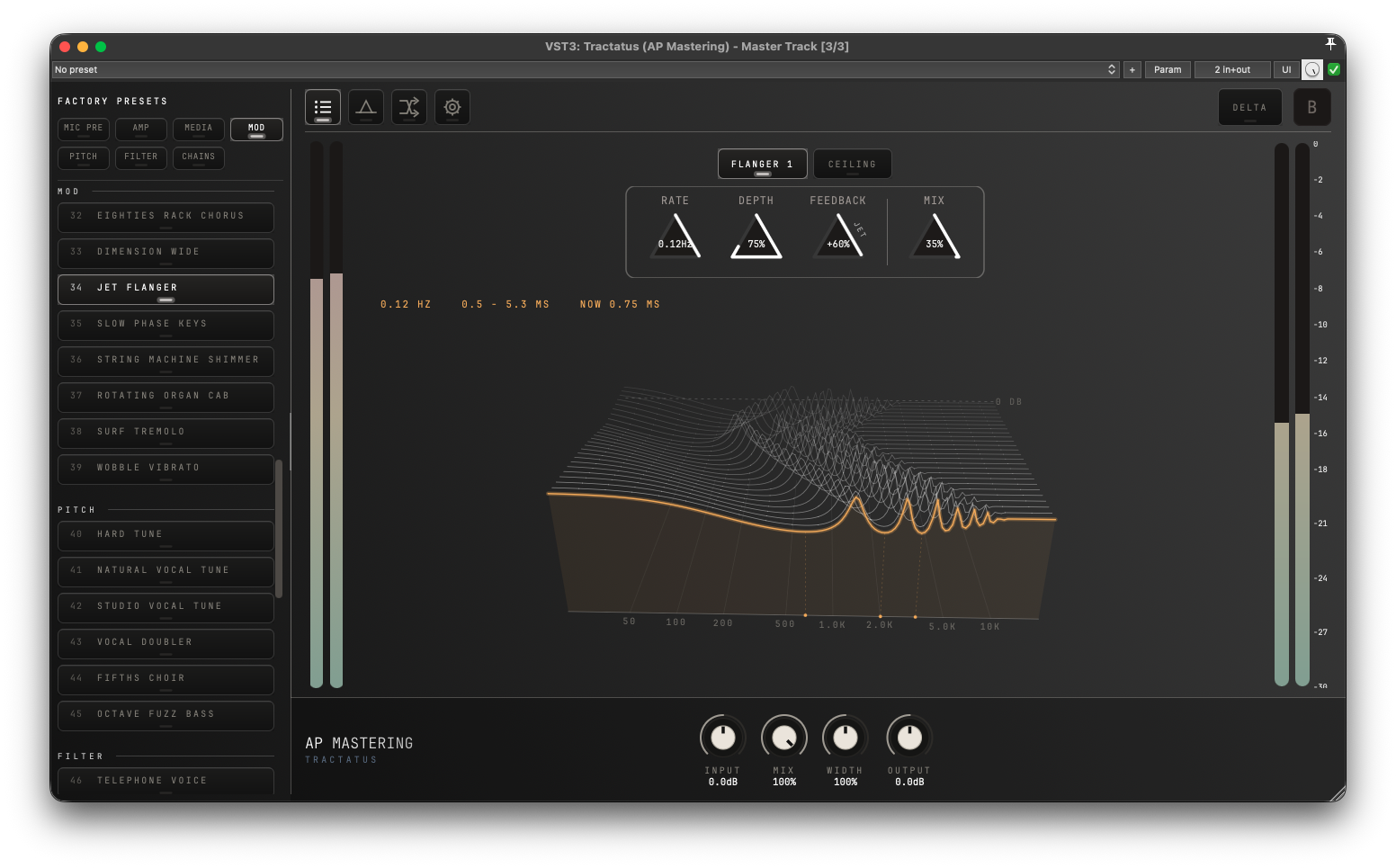
There are 68 factory presets covering preamps, amps, recording media, modulation, pitch, filters and complete chains. You can quickly find something useful before diving into the more complicated stuff.
Scoped randomization
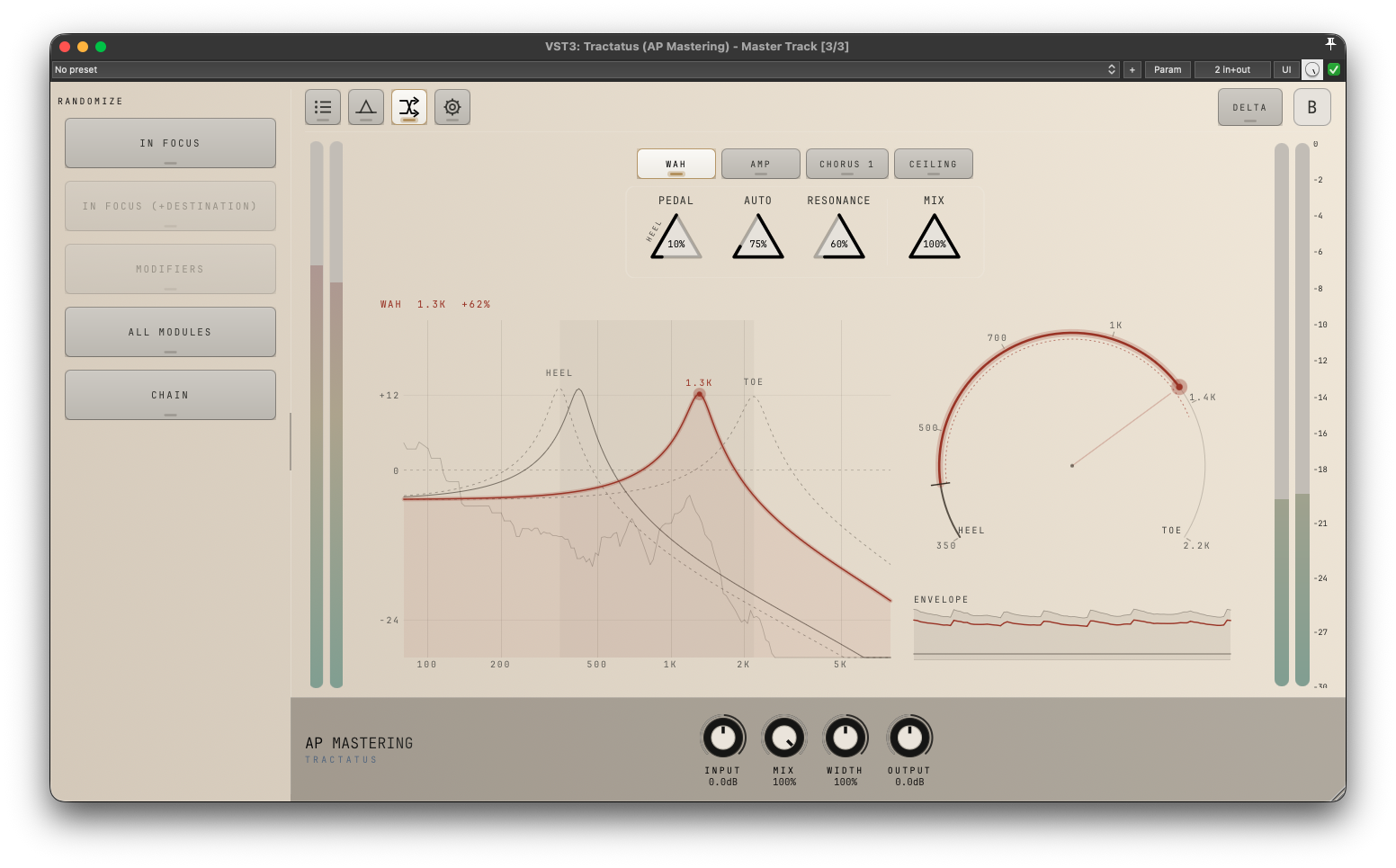
With one click you can randomise one module, the modifiers, all the modules in your current routing, or generate an entirely new chain. This is a very quick way to find combinations you probably wouldn't have thought of yourself.
Free lifetime upgrades
Tractatus is Class A's successor and a free upgrade for all Class A owners.
Dogma integration
With both products licensed, Tractatus runs inside Dogma's own window. You can put the entire Tractatus chain alongside Dogma's EQ and dynamics, with the same colour theme and a single window workflow.
Preamp design and DC bias: the original Class A video
This website uses no cookies directly. However, embedded YouTube videos may set cookies and process personal data once played. By interacting with the video, you consent to YouTube’s data processing. See YouTube’s privacy policy for details.
Verify hashes
The Mac installers are signed and notarized by Apple, so macOS verifies them itself when they are first opened. Hashes are listed for Linux and Windows.
To verify the integrity of the downloaded files, make sure the hashes are identical. On Linux use the command:
shasum -a 256 /path/to/file
On Windows, open PowerShell and run:
Get-FileHash "C:\path\to\file" -Algorithm SHA256
Hashes
- 21b2a6cbc46239004c6a4d5571477f7f171765cad23147b76d68f307ad8d2f0c
- 71746031a6a4e366050d8da9f07e61c83524b73953594b675feddf07bd9c95cd